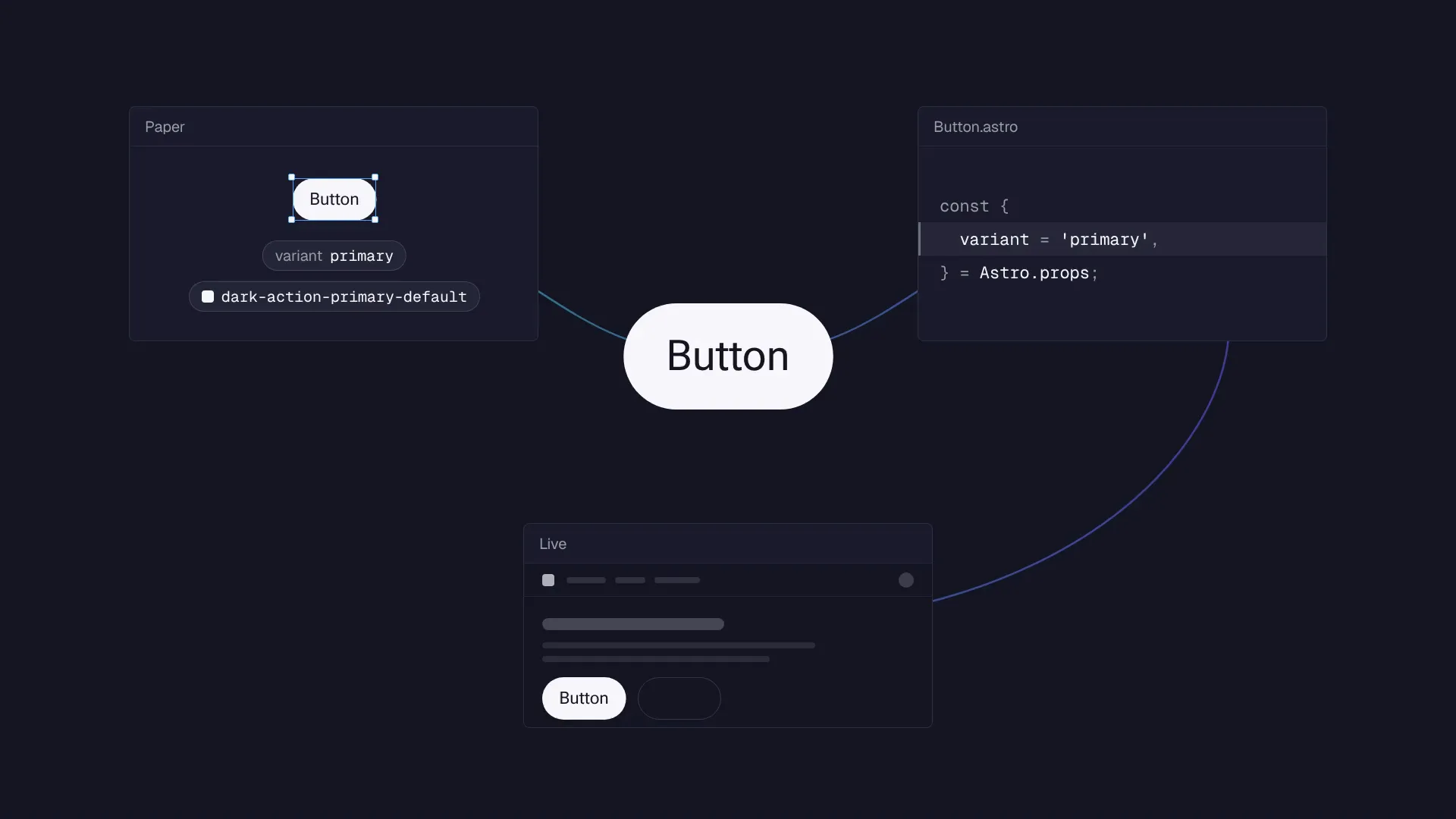
I redesigned how Socialive moves from design to working software. Using Claude and Paper, I connected prototyping and implementation in one workflow, cutting prototype creation from days to minutes and reducing the path from approved design to shipped code from weeks to a single day.
- Team
- UI/UX designer, UI design engineer, two front-end engineers
- Timeline
- 2026–present
- Outcome
- A connected design-to-code workflow adopted across design and engineering, accelerating iteration and reducing handoff overhead.
The bottleneck
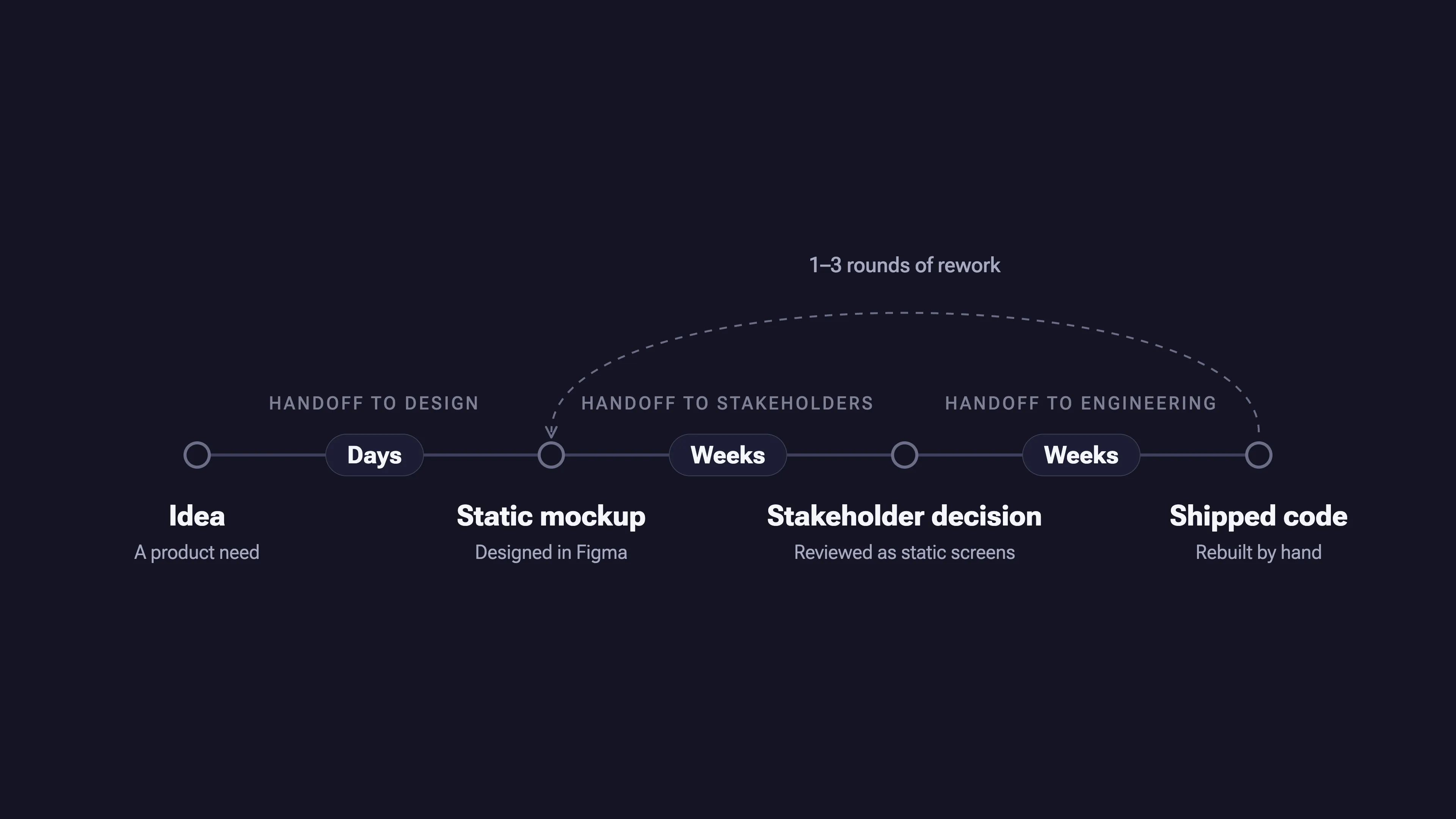
Our process separated design from implementation. Designers created static mockups in Figma, then engineers rebuilt them by hand. Each handoff introduced delays, discrepancies, and rework.
A testable prototype took days. Most features went through only one to three rounds of iteration. Stakeholder decisions took weeks.
The problem wasn’t how fast we designed. It was how much work stood between an idea and something people could evaluate.
From mockups to working prototypes
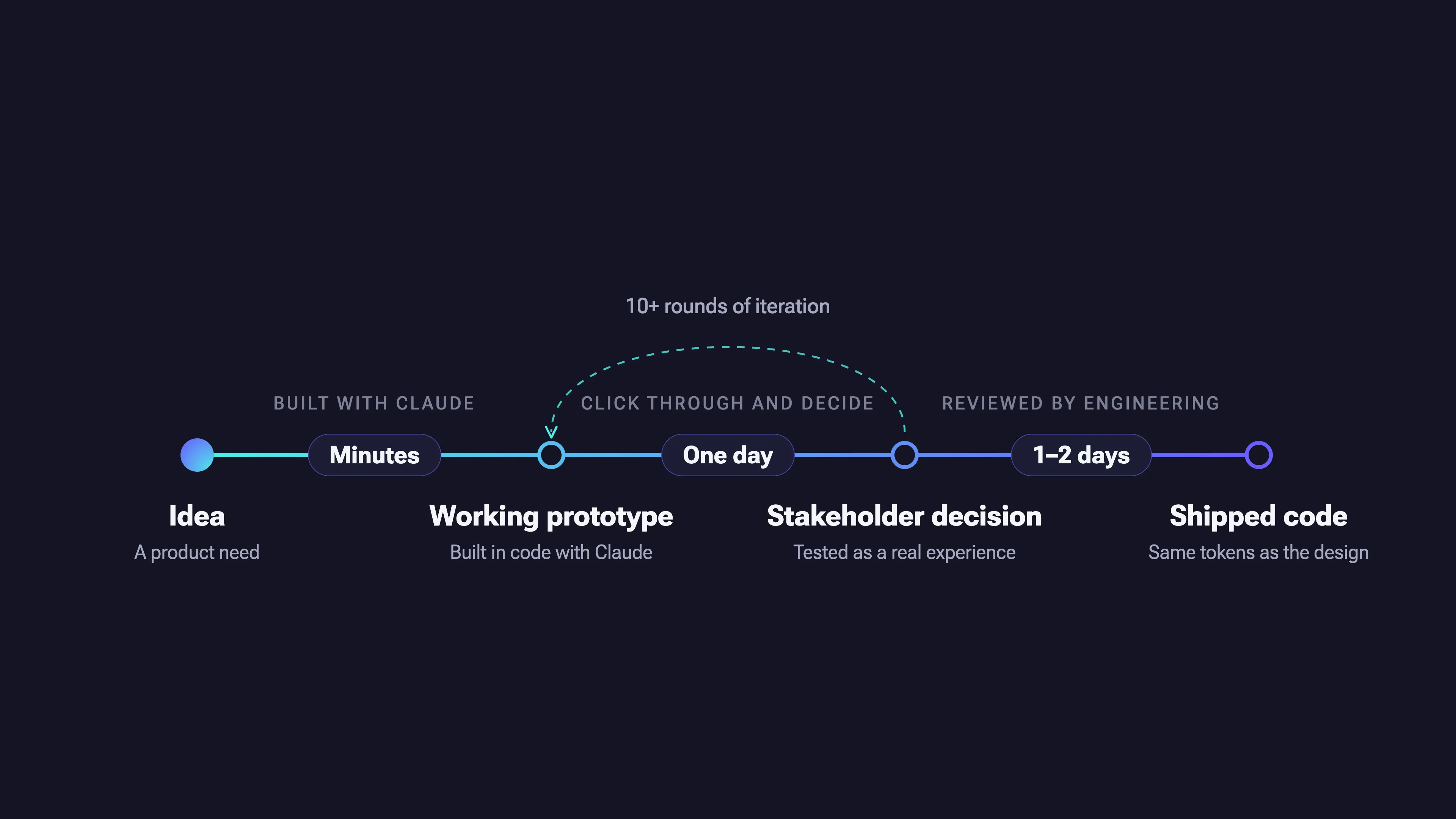
I moved prototyping into code, using Claude as a building partner. Instead of presenting static screens, I could create working experiences that stakeholders could click through and evaluate.
This changed what we could test and how quickly we could learn. Product behavior, interaction details, and edge cases became tangible before engineering committed to implementation.
Catalyst’s first prototype was built this way. The workflow soon became a repeatable approach, supported by shared wireframe conventions, realistic data, clearly marked demo-only controls, and visual QA after each change.

Connecting design and code
Prototyping in code made exploration faster, but created another problem: Design files drifted from the product as implementation moved forward.
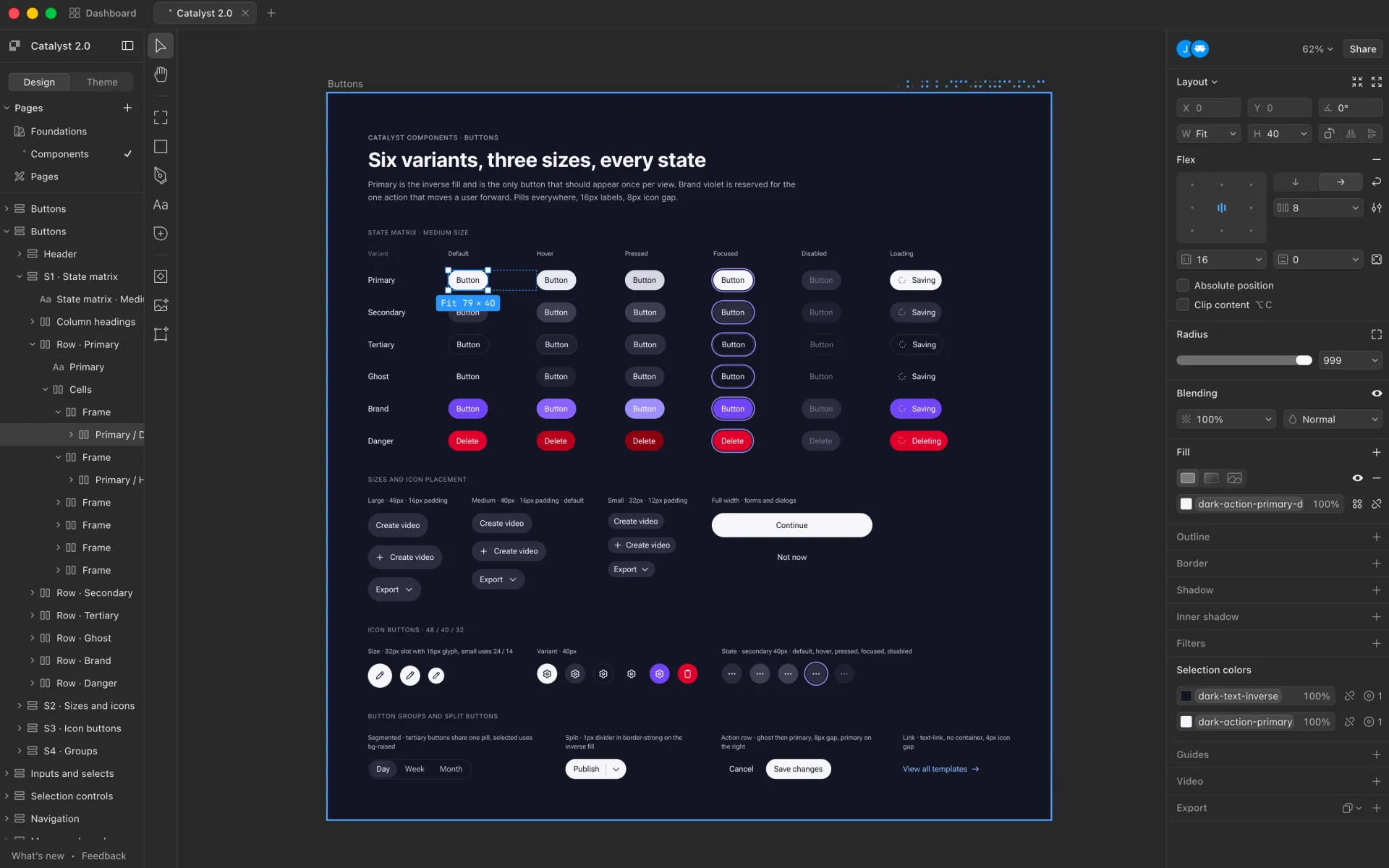
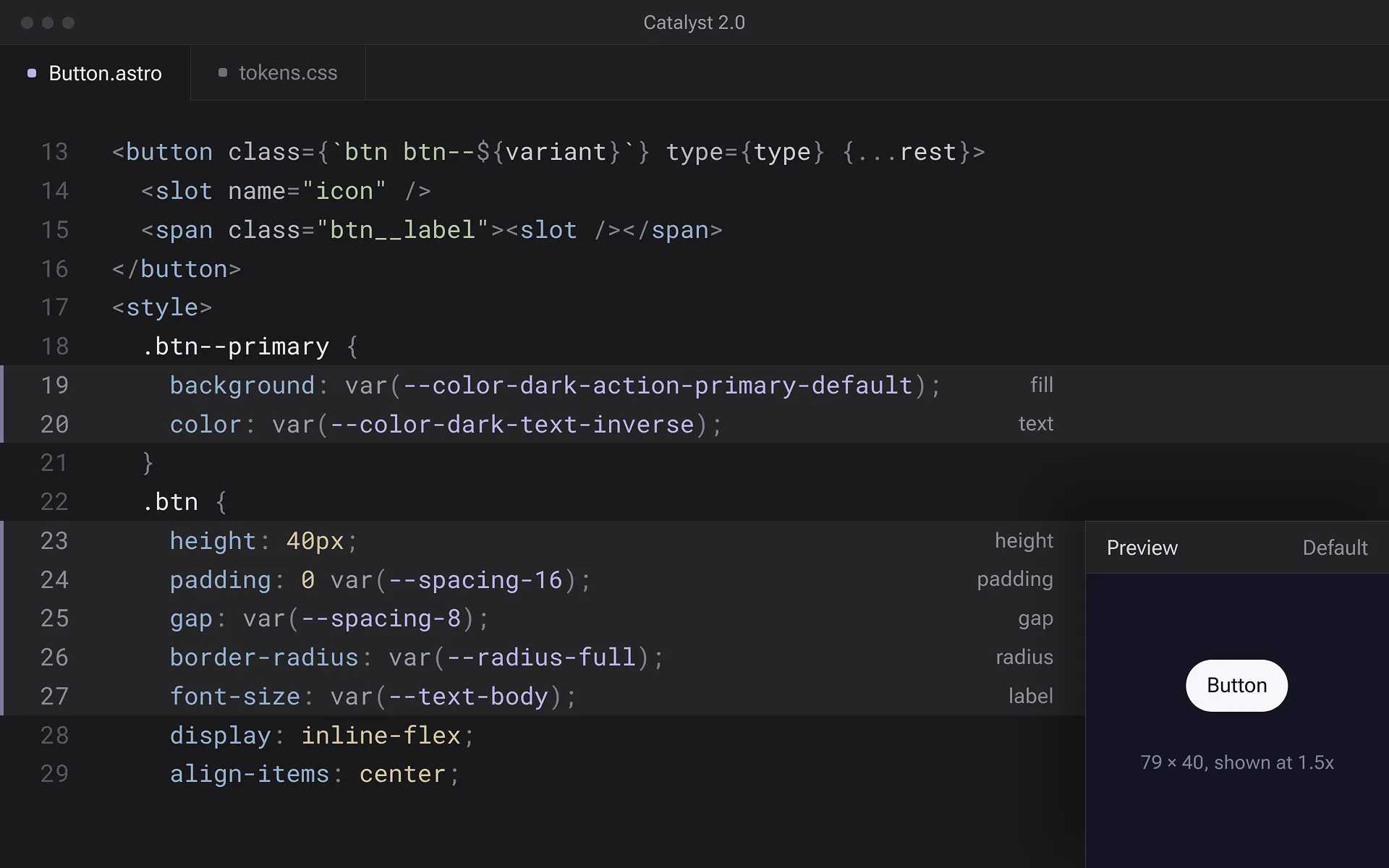
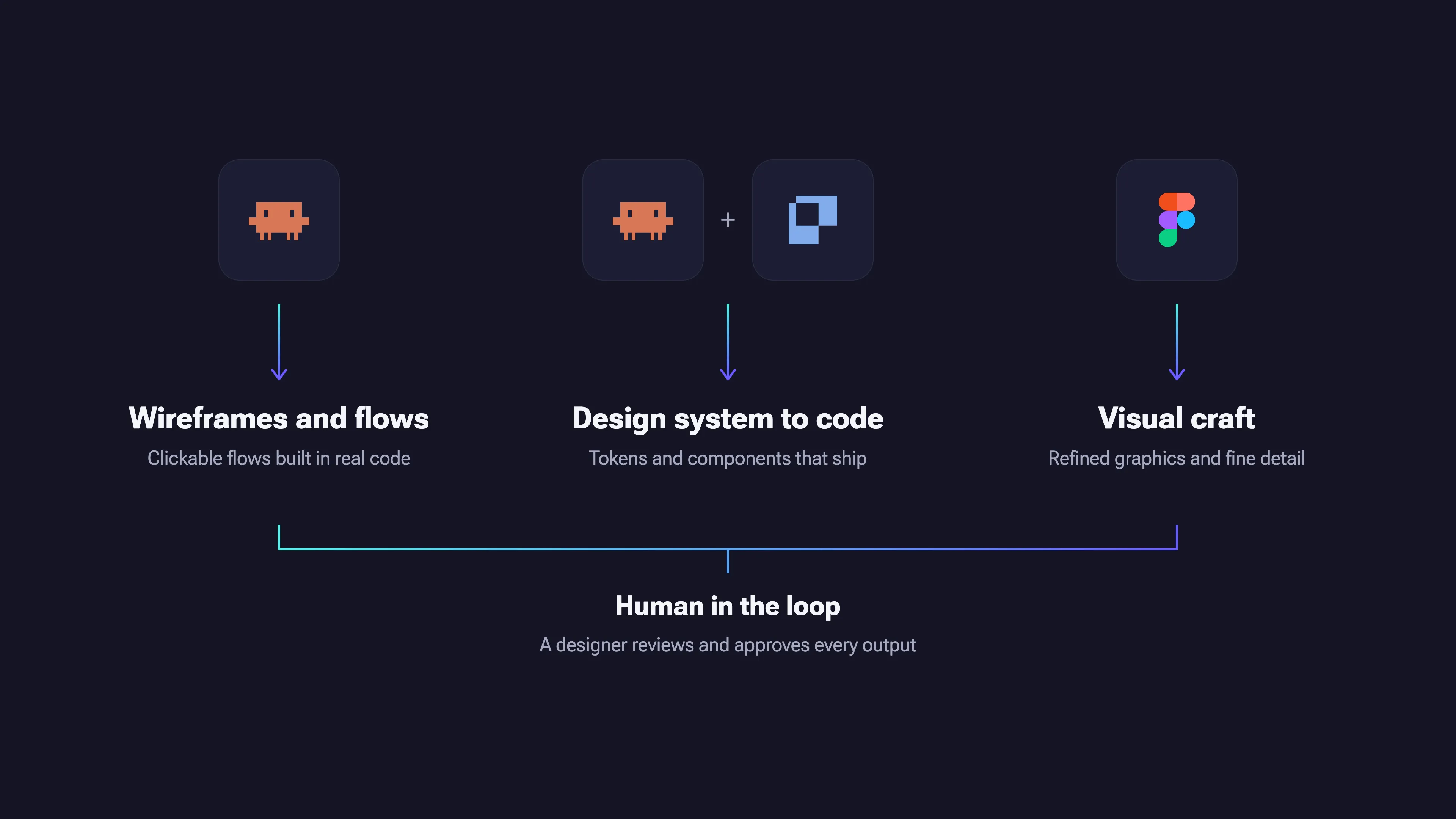
I looked for a way to keep design and code connected. I prioritized a design tool built on HTML and CSS, so there’s no translation layer between design and code, and chose Paper. I connected it to Claude through Paper’s MCP server.
The result was a bidirectional workflow. Designs could inform code, and code changes could flow back into the design canvas. Shared styles, tokens, and components keep design and code consistent and reduce rework.
The workflow now supports both marketing and product. Website updates can ship directly. Product changes still go through engineering review and QA.
Changing how the team builds
Introducing a new workflow required more than choosing tools. Engineering was initially hesitant, so I focused on demonstrating the results through real work rather than trying to sell the idea.
As the process proved itself, adoption grew. Two front-end engineers now use the workflow alongside our UI/UX designer and UI design engineer.
The shift reduces manual translation and gives developers more time to focus on complex engineering problems. It also creates more room for iteration before work reaches production.
The goal wasn’t to bypass engineering. It was to remove work that added little value while preserving the review and quality controls that production software requires.
The right tool for the work
Not every design task belongs in code. Figma remains useful for nuanced visual exploration and work that needs a high degree of craft.
This isn’t about replacing every tool. It’s about eliminating unnecessary translation wherever design and code can share the same foundation.
Impact and what’s next
- Days to minutes: Time to create a testable prototype.
- 1–3 to 10+ iterations: More opportunities to refine features before implementation.
- Weeks to one day: Time from design to stakeholder decision.
- Weeks to 1–2 days: Time from approved design to shipped code.
- Adopted across design and engineering: The workflow supports both website updates and product development, with engineering review and QA retained for product releases.
The result is more than faster prototyping. It’s a shorter path from idea to decision to delivery, with less manual translation and more time spent improving the product.
Next: Extend the workflow into AI-assisted processes that help the team maintain, improve, and ship updates with less manual work.